
Private onboarding · 2026
From introduction to live in five steps.
You open an account in your own name with our broker, fund it, and connect it to the system. Nothing is signed away and nothing is locked up. Work through the steps in order and set aside about twenty five minutes.
Time required
About 25 minutes
Participation from
€100,000
Have this ready before you start
With these at hand the whole route runs in one sitting, without waiting on a document.
One identity document
Passport, residence permit, ID card or driver's licence. One is enough, as long as it is valid and unexpired. Upload as JPEG, PNG or PDF.
Your own bank account
Funding is by wire transfer from an account in your own name. Participation starts at €100,000.
Your phone
Two-factor authentication is set up during registration with an authenticator app, so keep your phone within reach.
Your account setup
Your account is opened on MetaTrader 5 in euros. The identity check and a short economic profile are completed in step 03, before you deposit.
The route
Five steps, in order.
Each step opens where the last one ended. Mark a step complete and the next one opens. Your progress is kept on this device, so you can stop and return later.
You open the account in your own name with our broker, Blueberry. A valid email address is all you need to start. Your capital stays in your own account and we only receive a trading authorisation.
Create your account
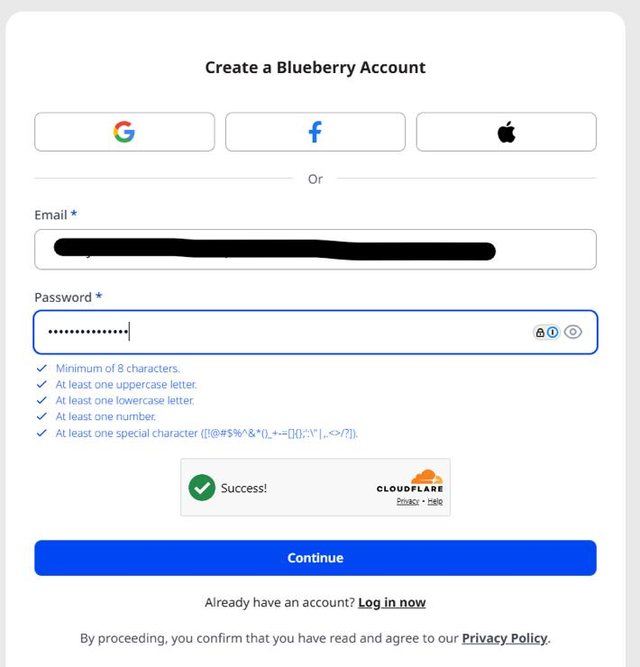
Open the registration page with the link below. Create your account with an email address and a password that meets the requirements shown, complete the security check and select Continue.
Register through this link only. An account opened through any other route cannot be connected to the strategy, and moving it afterwards is not possible.
Add two-factor authentication
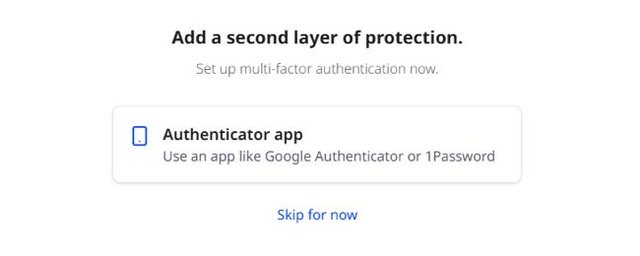
Blueberry offers to set up multi-factor authentication with an authenticator app such as Google Authenticator or 1Password.
The screen offers Skip for now. On an account that will hold six figures, the two minutes are worth spending. Set it up here and your login is protected from the first day.
Confirm where you live
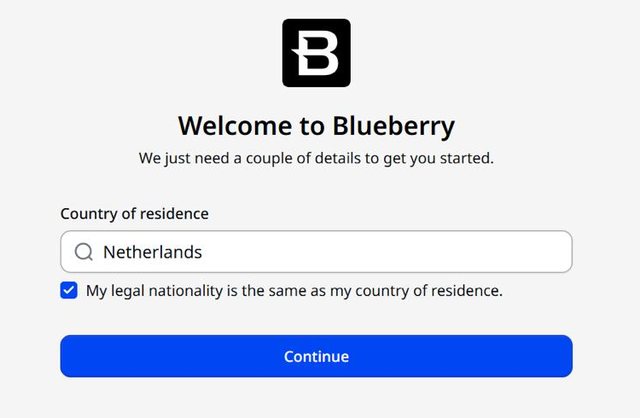
Enter your country of residence. If your nationality is the same, leave the box ticked and select Continue. If it differs, clear the box and enter your nationality separately.
Enter your details
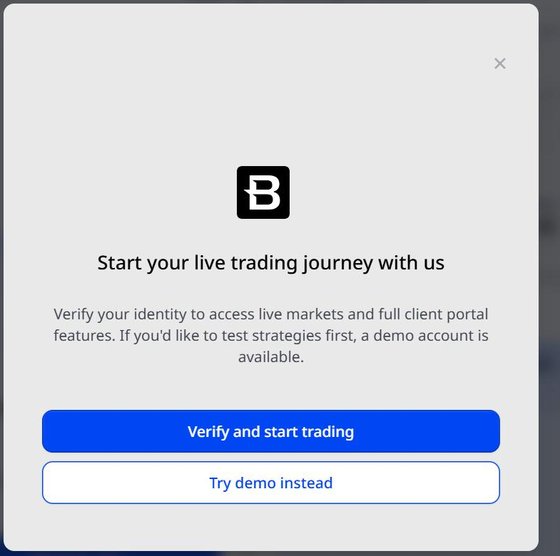
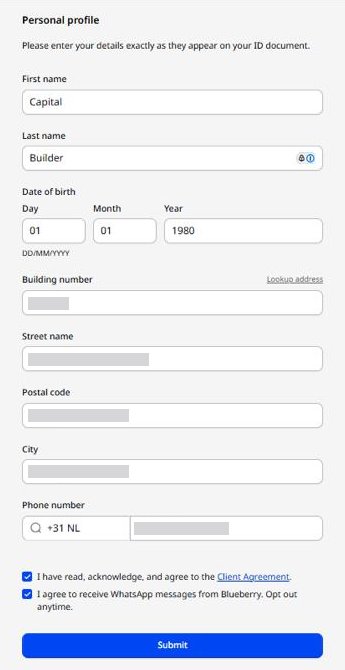
Select Verify and start trading, then fill in your name, date of birth, address and phone number exactly as they appear on your identity document. Accept the client agreement and select Submit.
A difference in spelling between your form and your document is the most common cause of delay. Copy the document, not your memory of it.
Next you create a live trading account in the client portal. It holds your funds and serves as the wallet for the investment portal, and its login is also how you sign in there.
Open the account setup
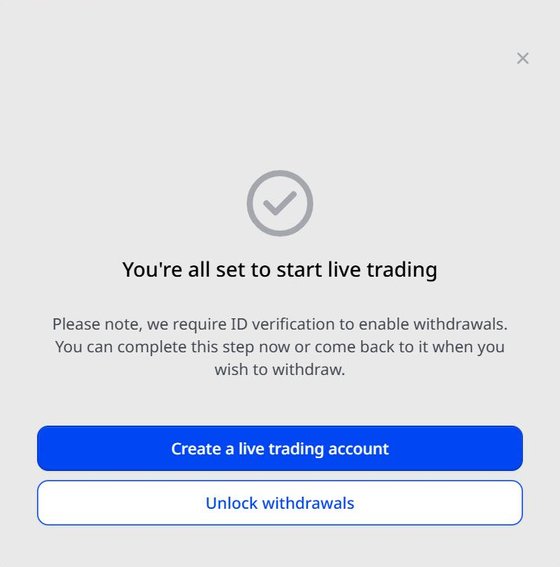
Blueberry confirms you are set up for live trading. Select Create a live trading account.
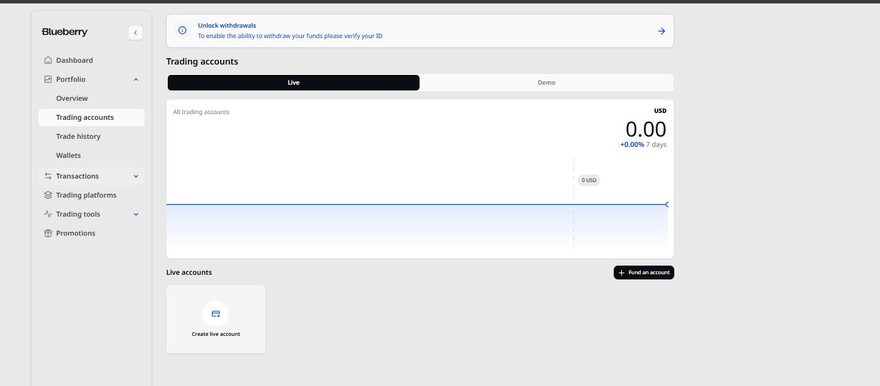
The same screen offers Unlock withdrawals, which is the identity check. You complete that in step 03, where Blueberry asks for it. If you have already closed this screen, go to Portfolio, then Trading accounts, and select Create live account.
Choose the settings
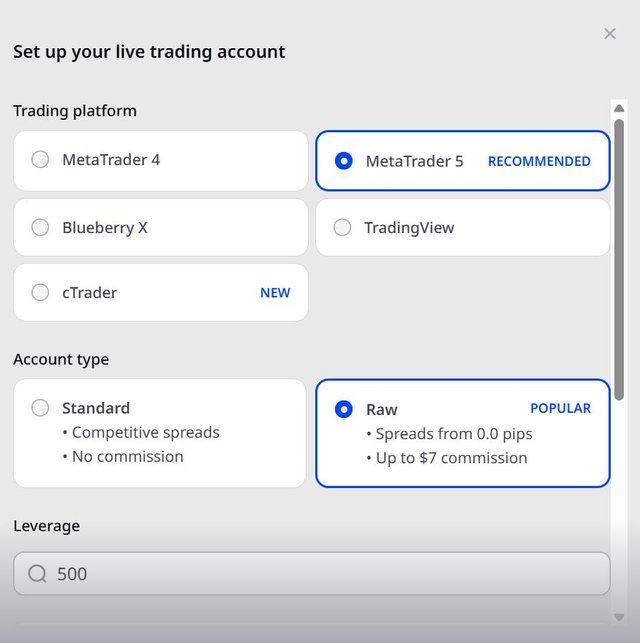
Leave the platform and the account type on what Blueberry has preselected. Set the currency to EUR, then create the account.
- Trading platform
- MetaTrader 5, preselected
- Account type
- Raw, preselected
- Currency
- EUR
The account has to be in euros. Your investment account in step 04 must match it, and a transfer between two different currencies will not go through.
Account type and leverage make no difference here. This account only holds your funds and passes them to the investment portal, so nothing is traded on it directly.
Opening the account is free and there is no maintenance fee. Blueberry earns from spreads and commissions on trading, not from you holding an account with them.
Keep your credentials
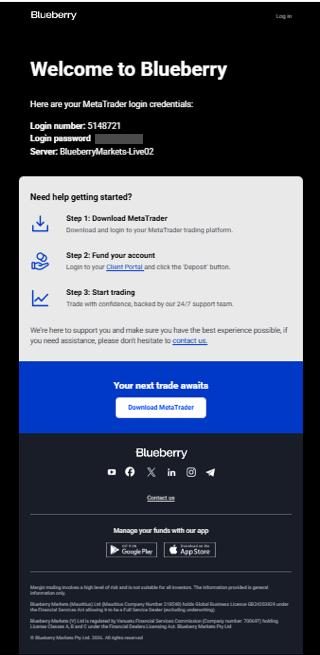
Blueberry emails your login number, your password and your server. You need the login number and the password again in step 04, so keep that message.
Participating through a company
Family offices and corporate participants open a company account instead of a personal one. Complete the company application first, then continue at step 03.
Open the company account guideBlueberry asks for the identity check and your economic profile at this point. With those complete you fund the trading account by wire transfer from an account in your own name. Participation starts at €100,000.
Complete your verification
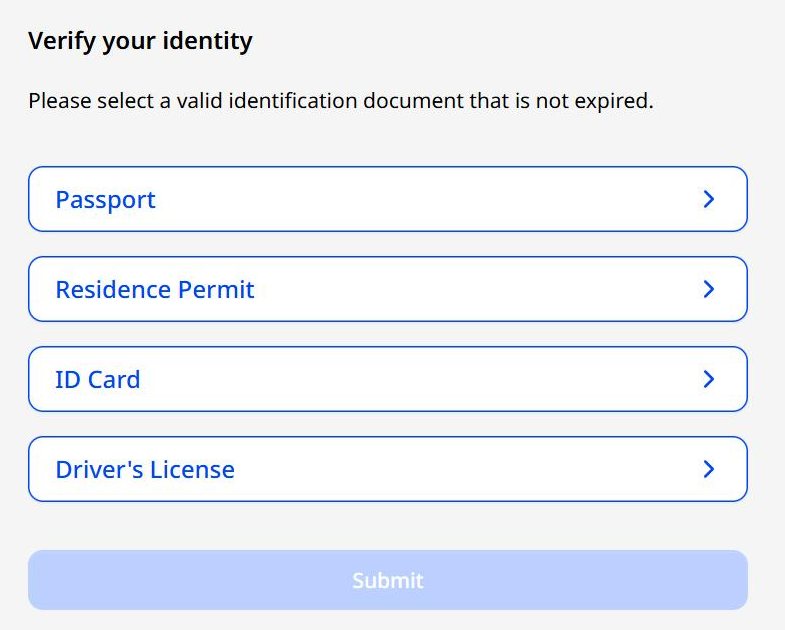
Before you can deposit, Blueberry asks you to verify your identity and complete a short economic profile. Choose one document: passport, residence permit, ID card or driver's licence, and upload it as a JPEG, PNG or PDF file. Verification runs automatically and usually clears within minutes. The economic profile is a handful of questions about your background and asks for no further documents.
Identity verification is required for any deposit from €5,000 and the economic profile for anything above €20,000, so at €100,000 both apply. Verification is also what enables withdrawals on your account.
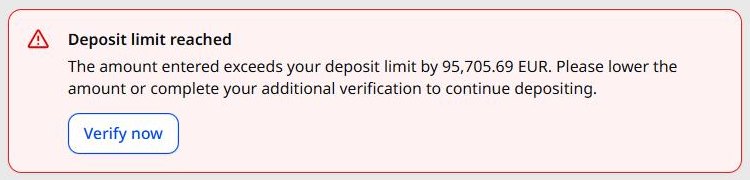
Without these the deposit screen caps how much you can deposit and refuses the amount. Select Verify now there and you are taken back to exactly these checks.
Open the deposit screen
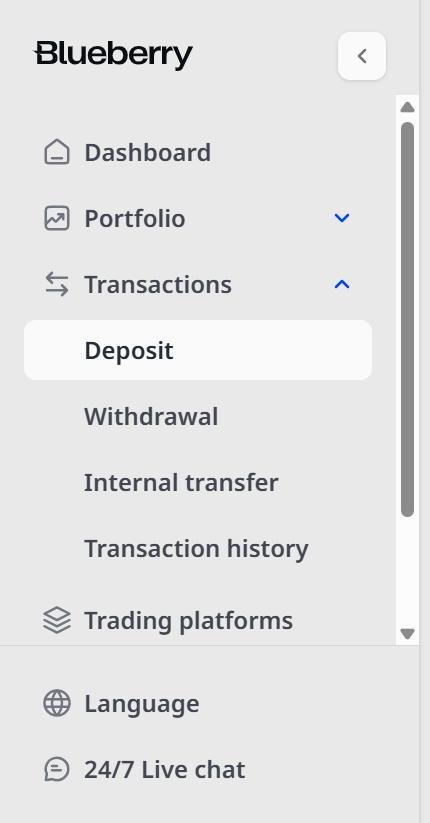
In the client portal, select Transactions in the left menu and then Deposit.
Every deposit and every withdrawal runs through the client portal. There is no way to deposit into the investment account directly. The investment portal in step 04 only moves money between your own two accounts.
Enter the deposit
Choose Bank Wire Transfer. Under Deposit to you will see the MT5 account you created in step 02, which is the only account listed. Enter the amount and select Deposit now.
If the amount is refused, the verification from step 3.1 is not yet complete. Select Verify now, finish both checks, and return here.
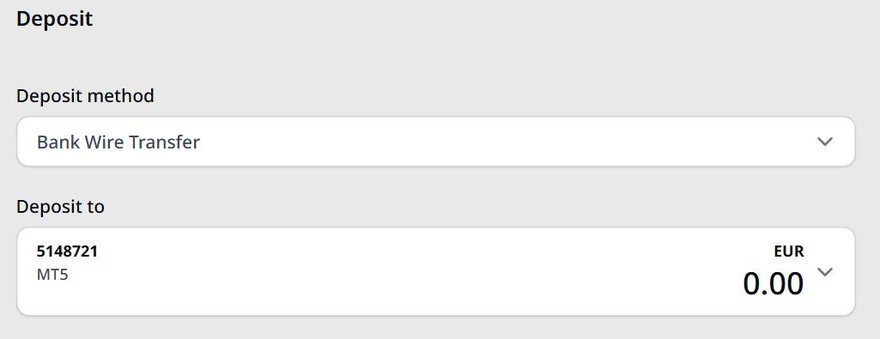
Take your reference code, then send the wire
Blueberry then shows the transfer details for this deposit, including a unique reference code. Copy that code before you leave the screen, then send the wire from your bank to the account below.
- Recipient
- Blueberry Prime Partners Pty Ltd Interpay
- IBAN
- IE69 CHAS 9309 0301 0561 57
- BIC
- CHASIE4L
- Recipient address
- Level 7, 107 Mount St, North Sydney NSW 2060, Australia
Put the reference code in the description field of your transfer. The account above receives every participant's funds, so the code is the only thing that matches your money to your account. Without it the funds arrive unidentified and allocation takes days instead of hours.
The account above is held by Blueberry, our broker, and never by Builder Capital Partners. Check it against the details on your own deposit screen before you transfer. If the two differ, your screen is right and this page is out of date. If anyone sends you payment details by email or message, including anyone appearing to write on our behalf, stop and call your contact first.
Send the funds from an account in the same name as your Blueberry account, and send the transaction slip from your bank to Blueberry once the wire is on its way. Check your daily transfer limit with your bank first, since a first transfer of this size is often above the standing limit.
A wire usually arrives within a few hours and can take up to a business day. You do not need to wait for it. Continue with step 04 while the transfer is on its way, and watch your trading account balance in the client portal. Once the funds show there, complete step 05.
With your account funded, the investment portal is where it is connected to Builder Capital Partners. You find our account, follow it, open an investment account in euros and subscribe.
Sign in to the investment portal
Use the login number and password from your welcome email, and select MT5 as the platform.
Open the investment portal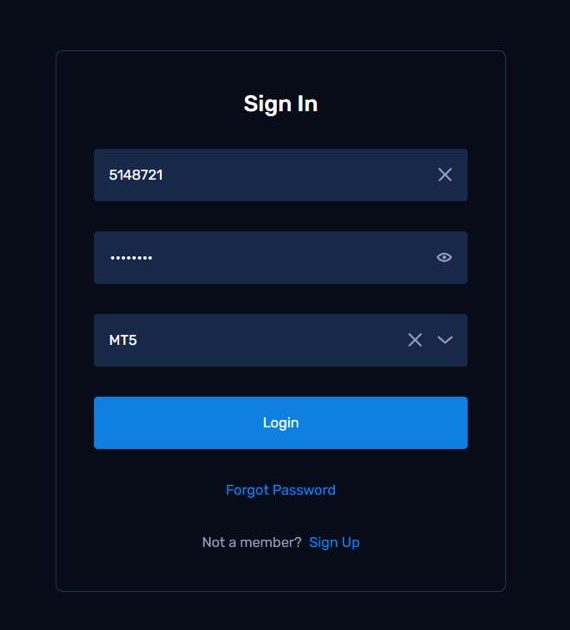
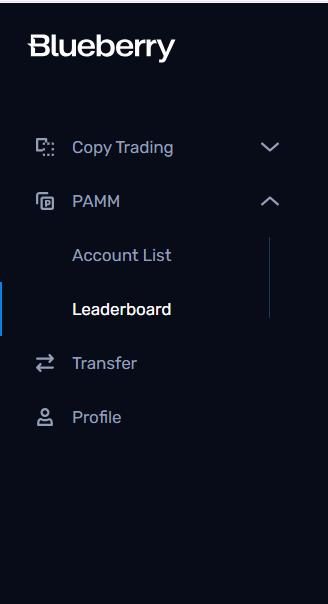
Open the leaderboard
In the left menu select PAMM, then Leaderboard.
Find Builder Capital Partners
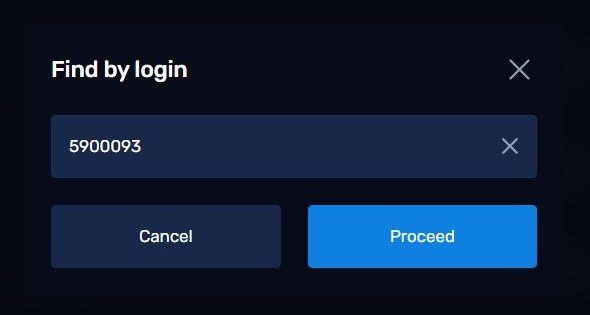
Select Find account by login at the upper right, enter the account number below and select Proceed.
- Our account number
- 5900093
Searching by login takes you straight to our account. You do not need to scroll the leaderboard or compare it with anything else listed there.

Follow the account
The account opens under the name Builder Capital Partners. Select Follow.
The page also shows performance figures for this platform. The account was opened here recently, so those figures run from its start date on the platform rather than over the life of the strategy.

Review the fees
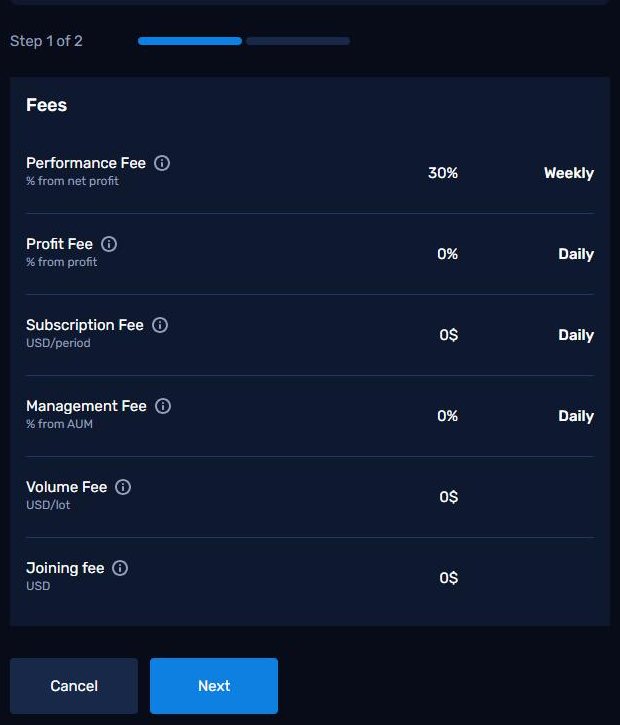
Step 1 of 2 lists every fee that applies to your participation. There is a performance fee on net profit and nothing else. Select Next.
- Performance fee
- 30%
- Management fee
- 0%
- Subscription fee
- 0
- Volume fee
- 0
- Joining fee
- 0
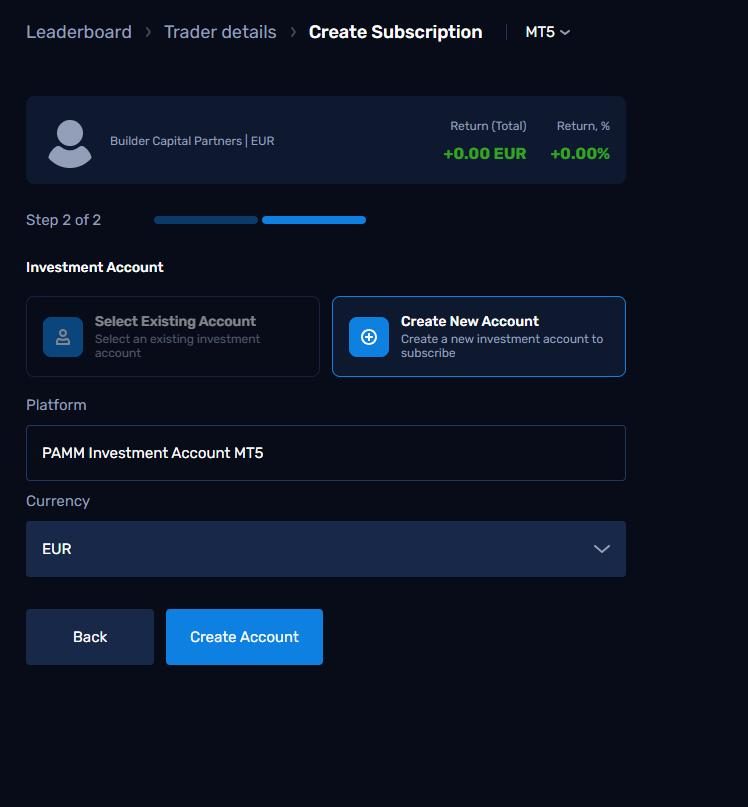
Create your investment account
Step 2 of 2. Select Create New Account, leave the platform on PAMM Investment Account MT5, set the currency to EUR and select Create Account.
The investment account has to be opened in euros, matching the trading account you created in step 02.
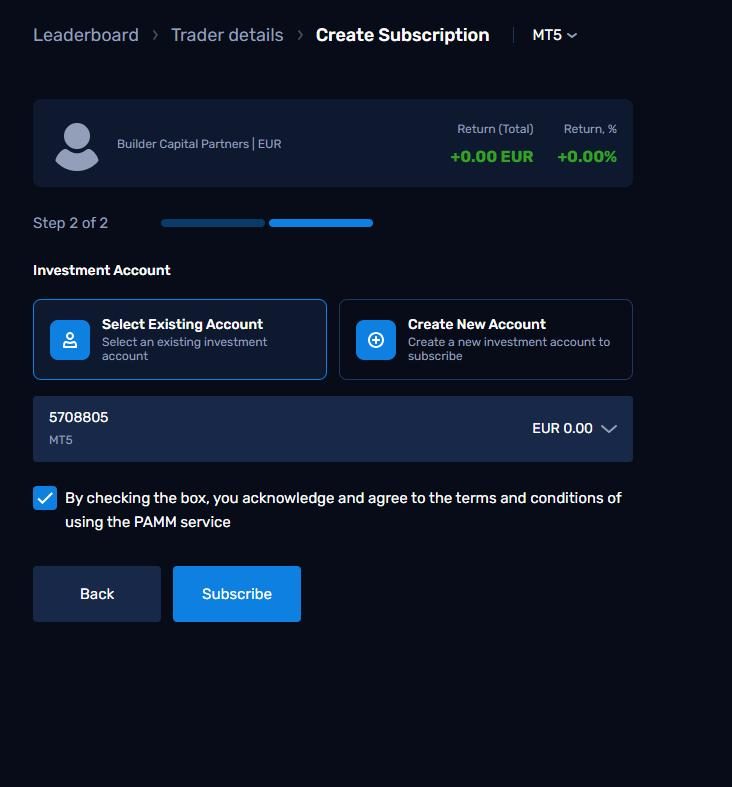
Accept and subscribe
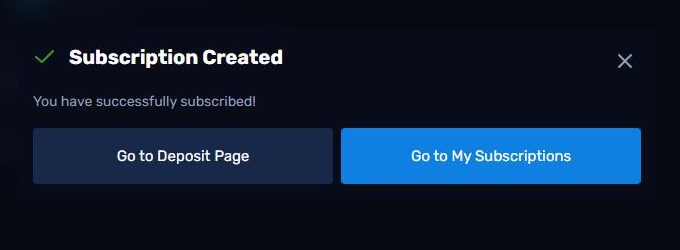
Your new investment account is now selected. Tick the box to accept the fees and the terms of the service, then select Subscribe. A confirmation appears, where you select Go to My Subscriptions.
Your request comes to Builder Capital Partners for approval. Nothing is required from you while it is pending. Your subscription shows as active once we have accepted it, and the last step follows from there.
Once your funds show in the trading account and we have accepted your subscription, the last step moves your capital into the investment account that follows the strategy. From that moment the system trades.
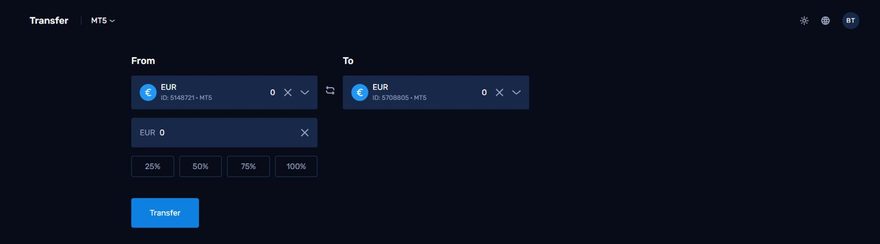
Open the transfer screen
Sign in to the investment portal and select Transfer in the left menu.
Your capital must be visible in the trading account you created in step 02, which appears here as your wallet account. If the balance still shows zero the wire has not landed yet. Wait for it and come back, since there is nothing to move until then.
Transfer to your investment account
Under From select your trading account and under To select your investment account. Then select 100%, and select Transfer.
After you confirm, the funds sit between the two accounts until we accept them from our side. In that window your wallet account and your investment account can both show 0.00. Nothing is missing and nothing is at risk. The balance appears in the investment account as soon as we accept it.
The system starts trading on your account. You follow every position in real time, and you can add or withdraw at any moment through the client portal, with no lock-up.
After onboarding
Your account is live.
The system now trades on your account by its rules. You keep the account in your own name, you follow every position in real time, and you can add or withdraw at any moment.
Reporting
Live access to your capital and results at all times, plus monthly statements, quarterly reports and an annual tax overview.
Continuity
A team of five specialists stands behind the strategy and keeps the system and risk monitoring running.
Liquidity
There is no lock-up, so you can add or withdraw at any moment, directly from your own account.
Founder
Mathijs Bouwer
Strategy reviews and key decisions on your participation.
mathijs@buildercapitalpartners.nlRelationship manager
Octavian Sokolow
Onboarding, reporting and day-to-day service.
info@buildercapitalpartners.nlBroker support
Blueberry Markets
Account, verification and transfer questions.
Boryana.manolova@blueberrymarkets.com